Install the App
Add the app to your Home Screen for the best experience.
1
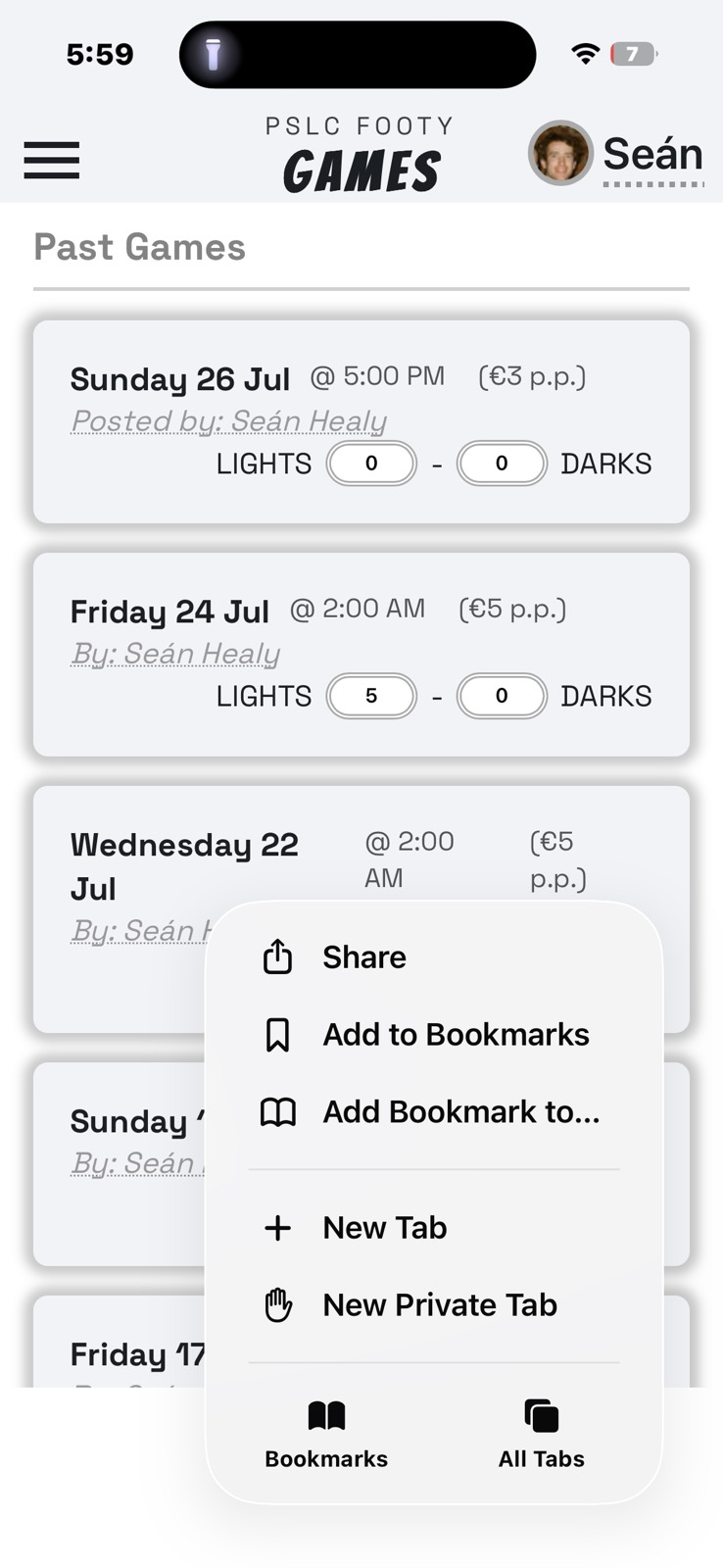
Open the Games page
Open the Games view in your mobile browser, then tap the Share button.
2
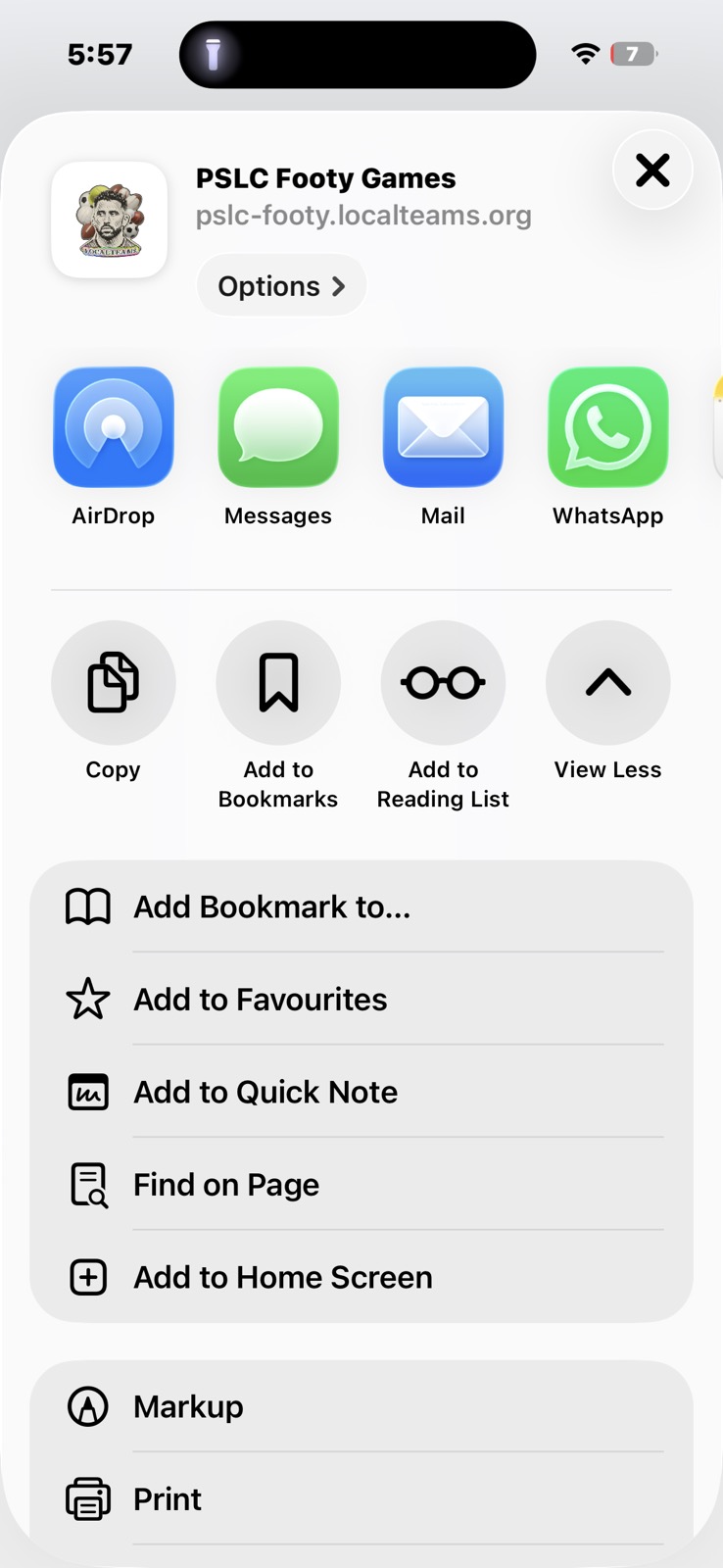
Add to Home Screen
Scroll down the Share menu and tap Add to Home Screen.
3
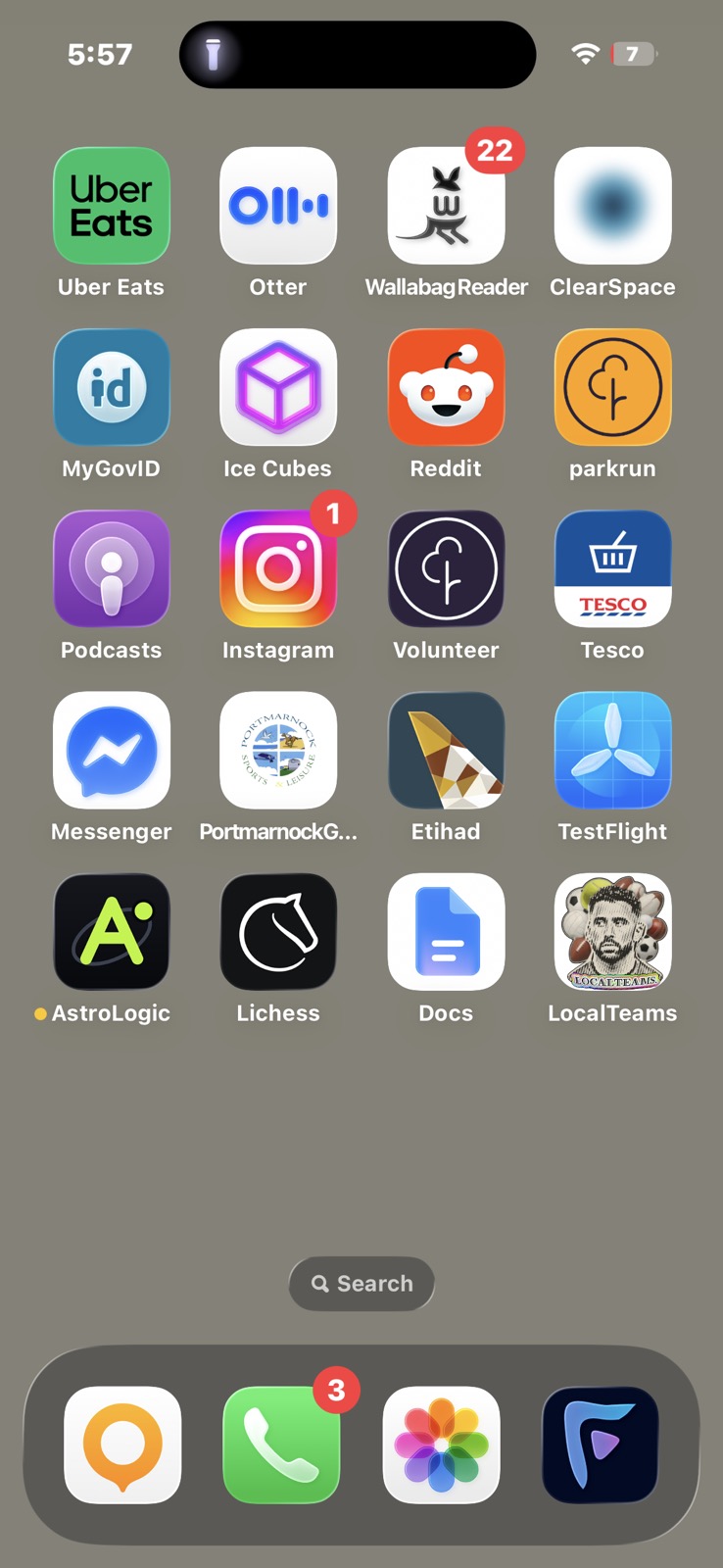
You're all set!
The app icon will appear on your Home Screen. Tap it any time to launch the app.
Enable Notifications
After your first login through the app, you'll be prompted to enable notifications. This is recommended, as you'll then be notified when a game opens for signup, or when a team you were on changes (dropouts, etc.).